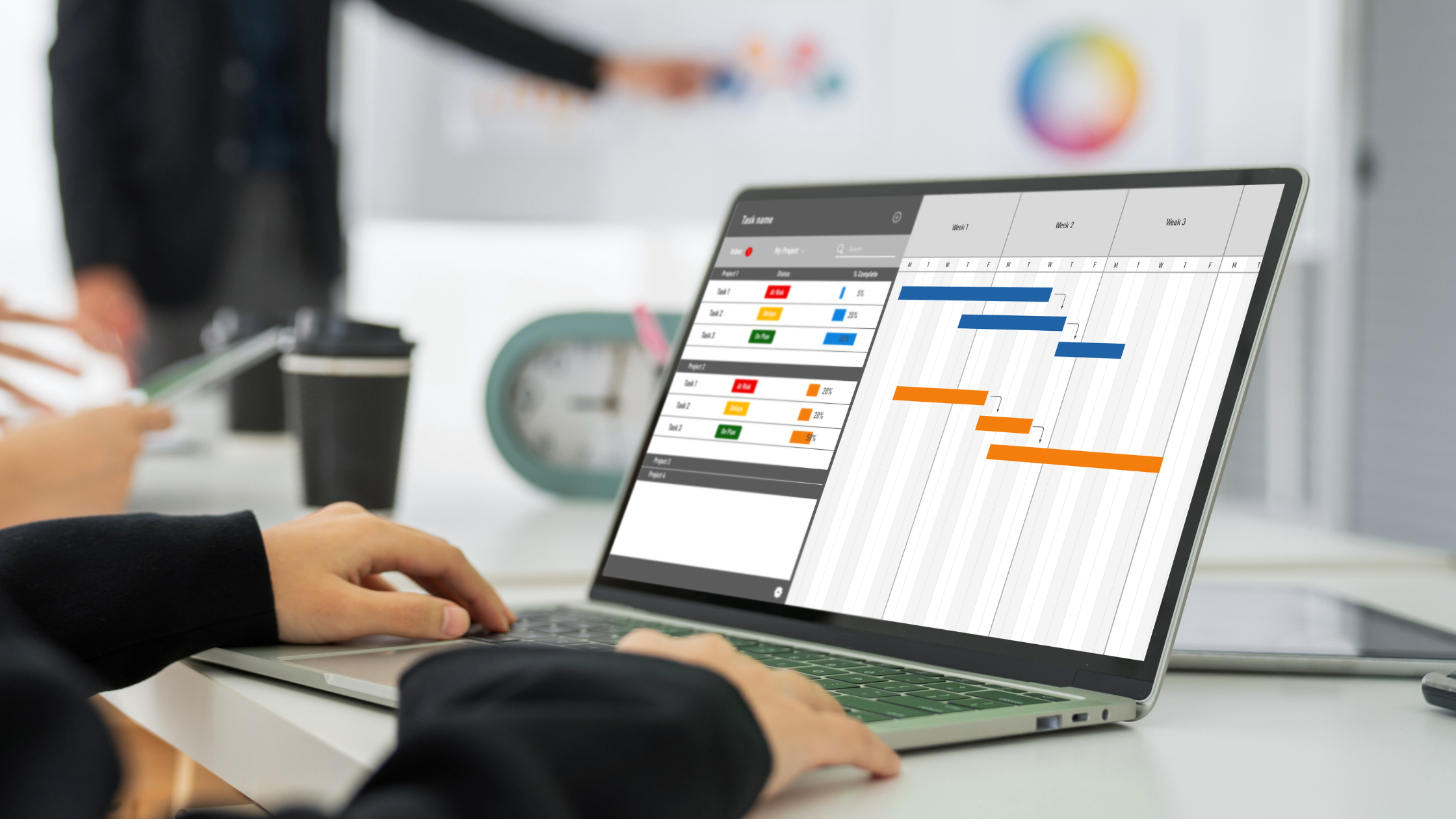

Being more productive in running your business involves weighing which project management software is best suited for you. It doesn't necessarily mean working harder.
You don't need to spend more time and energy on repetitive tasks that don't directly impact your bottom line. Running a growing business already includes juggling multiple priorities and deadlines at once, so why make it more difficult than it needs to be?
The point of project management software is to give you freedom from juggling everything at once.
And this isn't just a theory. PricewaterhouseCoopers (PwC) found that 77% of high-performing teams utilise project management tools consistently. That says a lot about how essential these have become in modern business operations.
Read about our top 5 picks for the best project management software of 2026 and make sure to click through to our in-depth reviews for the full details.
Also Read: Concierge Services Driving 10.5% CAGR Growth
The Top 5 Project Management Software
Do you still remember the time when you had to pay hefty fees just to access basic task management software? Microsoft Office, for example, used to sit on the expensive side of the equation, often making project management tasks something only larger companies could afford.
Today, that has completely changed.
There is a wide variety of project management software readily available for small and medium-sized enterprises (SMEs). It offers the flexibility needed to manage your business operations without paying a cent.
Here are our top 5 project management software of 2026.
Also Read: How Concierge Support Simplifies SME Growth
1. Trello – Best for Managing Projects
Pros
- Easy-to-use drag-and-drop interface
- Visual Kanban boards for task tracking
- Great for small teams and simple workflows
Cons
- Limited advanced features in the free plan
- Not ideal for complex project structures
Trello remains one of the simplest project management software, especially for businesses that prefer a visual approach to organising. It uses a Kanban-style system made up of boards, lists, and cards.
Managing marketing campaigns, content calendars, and tracking client projects or internal workflows is easy to understand. Each card can hold checklists, due dates, attachments, and comments, which helps organise all relevant task information in one place.
Its biggest strength is flexibility. It can be used for everything.
However, while Trello is excellent for visual organisation and basic workflow management, it can feel limited for more complex projects. Teams that require advanced reporting, dependencies between tasks, or deeper automation may eventually find themselves needing additional tools or upgrades.
Even so, for businesses that value simplicity, transparency, and ease of use, Trello remains a strong contender amongst the best project management software options in 2026.
2. ClickUp – Best for Customising Tasks
Pros
- Multiple task views (list, board, calendar, Gantt)
- Generous free plan features
Cons
- Setup requires time and planning
ClickUp is one of the most flexible project management tools available today.
What sets it apart is its versatility. Unliked other software, it lets you switch between multiple views, such as lists, boards, calendars, and Gantt charts, depending on your preference.
It also includes advanced features such as task dependencies, time tracking, goal setting, and automation, even within its free plan. Making it particularly useful for businesses managing different types of projects across different departments.
However, this level of flexibility comes at a cost, because setting up workflows requires some time and planning.
Still, once configured correctly, ClickUp can be worthy of your time and effort.
3. Asana – Best for Team Collaboration
Pros
- Flexible with project management methodologies
- Easy task assignment and tracking
- User-friendly interface with team features
Cons
- Can be costly to upgrade
Asana is particularly known for offering features to easily manage any team projects. It allows users to create tasks, assign owners, set deadlines, and track progress in real time.
However, while the free version is solid for small teams, more advanced features like reporting dashboards and workload management are locked behind paid plans. As a result, growing businesses may eventually need to upgrade to access its full potential.
4. Wrike – Best for Project Tracking
Pros
- Advanced project tracking features
- Spreadsheet-like interface
Cons
- Less customisable
- Limited free plan features
Wrike is something that you might like if you prefer to manage projects on a spreadsheet, as it offers the same flexibility that spreadsheets normally have. It provides real-time dashboards, Gantt charts, and workload management tools that help monitor progress and identify what you missed quickly.
However, Wrike does come with a learning curve.
The interface is more complex compared to other project management software, and teams may need time to fully adapt. Additionally, the free plan is quite limited, which can restrict its usefulness.
5. Zapier – Best for Automating Tasks and Workflows
Pros
- Automates repetitive tasks
- Connects multiple apps and platforms
- Built-in AI that generates workflows and handles tasks
Cons
- Not a full project management tool
Zapier is slightly different from traditional task management software because it doesn’t manage projects directly. Instead, it focuses on automation across different apps and automating repetitive workflows between them.
For example, Zapier can automatically create tasks in your project management tools when a new email is received or update spreadsheets when a form is submitted.
It stands a chance to compete with other project management software by freeing up your time for repetitive tasks and making workflows faster and more efficient.
Start Saving with Project Management Software of 2026
Did you know you can have access to project management software through EmpireOne Premium?
Empire One lets you access exclusive discounts on 500+ software tools, weekly expert webinars, customisable business templates, and how-to guides across marketing, HR, finance, and operations.
Want to start saving today and grow faster than your competitor? Sign up for free and get instant access to premium business perks!